Rules
Choose checks for your repository, tune their thresholds, or create a rule from a signal.
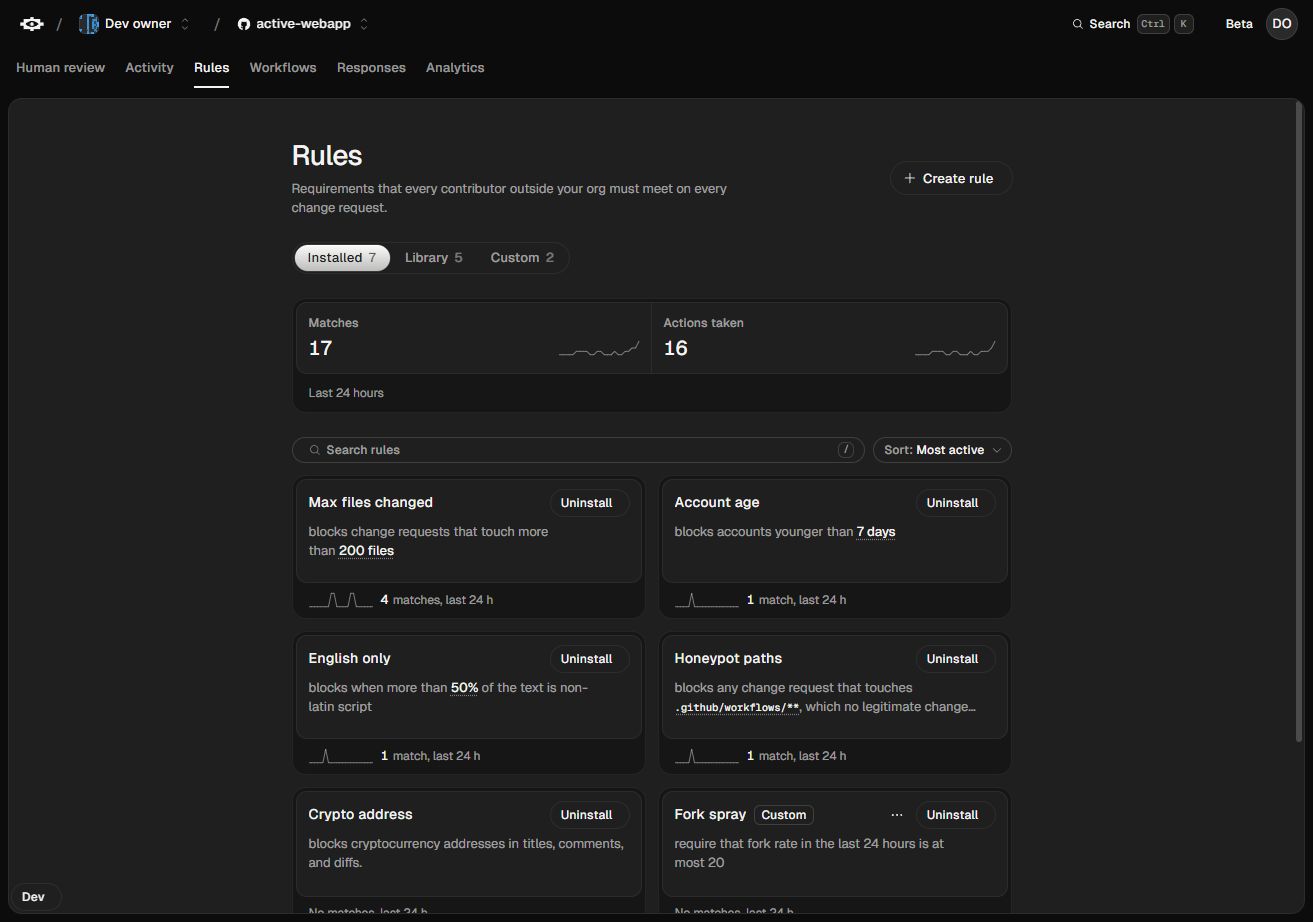
A rule evaluates one condition, such as whether a pull request touches at most 200 files. Repository rules apply on their own. Rules inside a workflow can run on a particular trigger, use exceptions, or lead to different actions.
Repository rules
The Library lists rules available to the repository. The Installed tab shows active rules and their settings. Underlined values are editable, such as the file limit for Max files changed.
Used in a workflow identifies rules included in a workflow. Those steps have their own settings. The repository’s install toggle applies to standalone use.
Built-in rules
| What you want to check | Rule |
|---|---|
| Minimum age of the contributor’s account | Account age |
| Prior merges in repositories owned by someone else | Merged change requests |
| Number of recent pull requests from one contributor | Rate limit |
| Number of files touched by the pull request | Max files changed |
Whether a change touches a protected path such as .github/workflows/** |
Honeypot paths |
| Cryptocurrency addresses in titles, comments, or patches | Crypto address |
| Whether the contributor has enough text in their profile | Profile README |
| Whether the author owns public repositories with enough stars | Owned repositories by stars |
| Prior merges in public repositories with enough stars | Merged pull requests by repository stars |
The two star checks answer different questions. Merged pull requests by repository stars can require five merges in repositories with at least 50,000 stars each, with an option to exclude repositories the author owns. Owned repositories by stars checks the author’s own public repositories. These checks use GitHub data.
Pilot is in Shared blocklists in the Library. Once installed on an active GitHub repository, it sends new pull requests from listed accounts to Human review. Pilot.
Custom rules
A custom rule compares a signal with a value. Signals are facts Tripwire reads or calculates from forge data, such as a pull request’s file count or the author’s username. The available comparisons depend on the signal. A file count can have a maximum. A username can be compared with a list. Signals in Concepts.
For example, a rule can require that the author’s username is outside a list of accounts. A workflow can route a failed check to Human review.
Rule evidence
Activity records why a rule produced its result. For example, a run that reports 410 changed files against a limit of 200 shows exactly why Max files changed failed. A skipped result means Tripwire lacked enough evidence to evaluate the condition. Changing the limit won’t supply the missing data.