Workflows
Combine rules to decide how Tripwire responds to a repository event.
A workflow combines rules into a response to a repository event or schedule. Its trigger determines when it runs. Rules evaluate conditions, gates combine their results, and actions respond to those results. Workflow terms.
Workflow canvas
The canvas shows how steps connect, from the trigger to the actions. Properties contains the settings for each step.
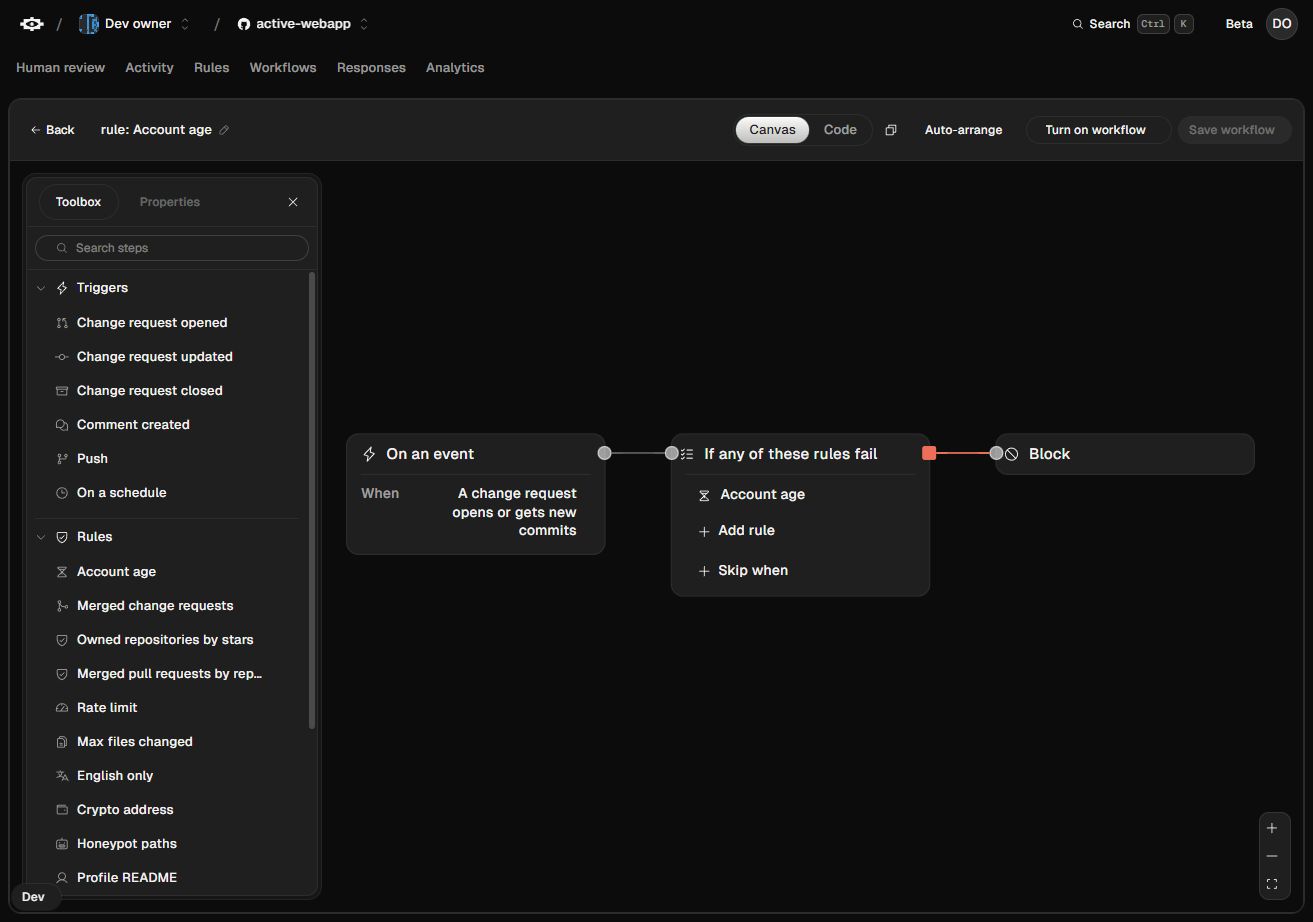
Gate logic
This workflow requires an account at least 30 days old and no more than 100 changed files. An All of gate combines the two checks. Its failure branch leads to Human review.
If either check fails, a maintainer gets an item in Human review. With Any of, this workflow sends the item only when both checks fail.
| Gate | Passes when |
|---|---|
| All of | Every connected check passes. The editor’s “If any of these rules fail” group uses this logic. |
| Any of | At least one connected check passes. |
| Not | Its single input fails. |
A check can be skipped when Tripwire cannot get the evidence it needs. A skipped check supplies neither a pass nor a fail to the gate. All of can still fail on a known failure, and Any of can still pass on a known success. If the remaining evidence cannot decide the gate, the gate is skipped and neither branch runs from it.
Exceptions
Skip when adds an exception to a group of requirements. For example, a minimum account age can apply unless the author already has a merged pull request in another person’s repository. A passing exception waives the requirement. If Tripwire cannot verify the exception, the requirement still applies.
The TypeScript SDK guide shows the same workflow in code.
Actions
| Action | Result |
|---|---|
| Block | Fails the Tripwire check and requests changes. The pull request stays open. |
| Close | Closes the issue or pull request. |
| Human review | Pauses the run for a maintainer decision in Tripwire. Approval and denial can lead to different next steps. |
| Request GitHub review | Asks selected users or teams to review in GitHub. |
| Note only | Leaves the check green and adds a note to the verdict comment. |
| Webhook or Discord | Sends the verdict to a destination you configure. |
Scheduled workflows
On a schedule runs a workflow at regular intervals. A daily workflow could lock closed issues after 30 days of inactivity, excluding issues with a specified label and conversations that are already locked.
Run history
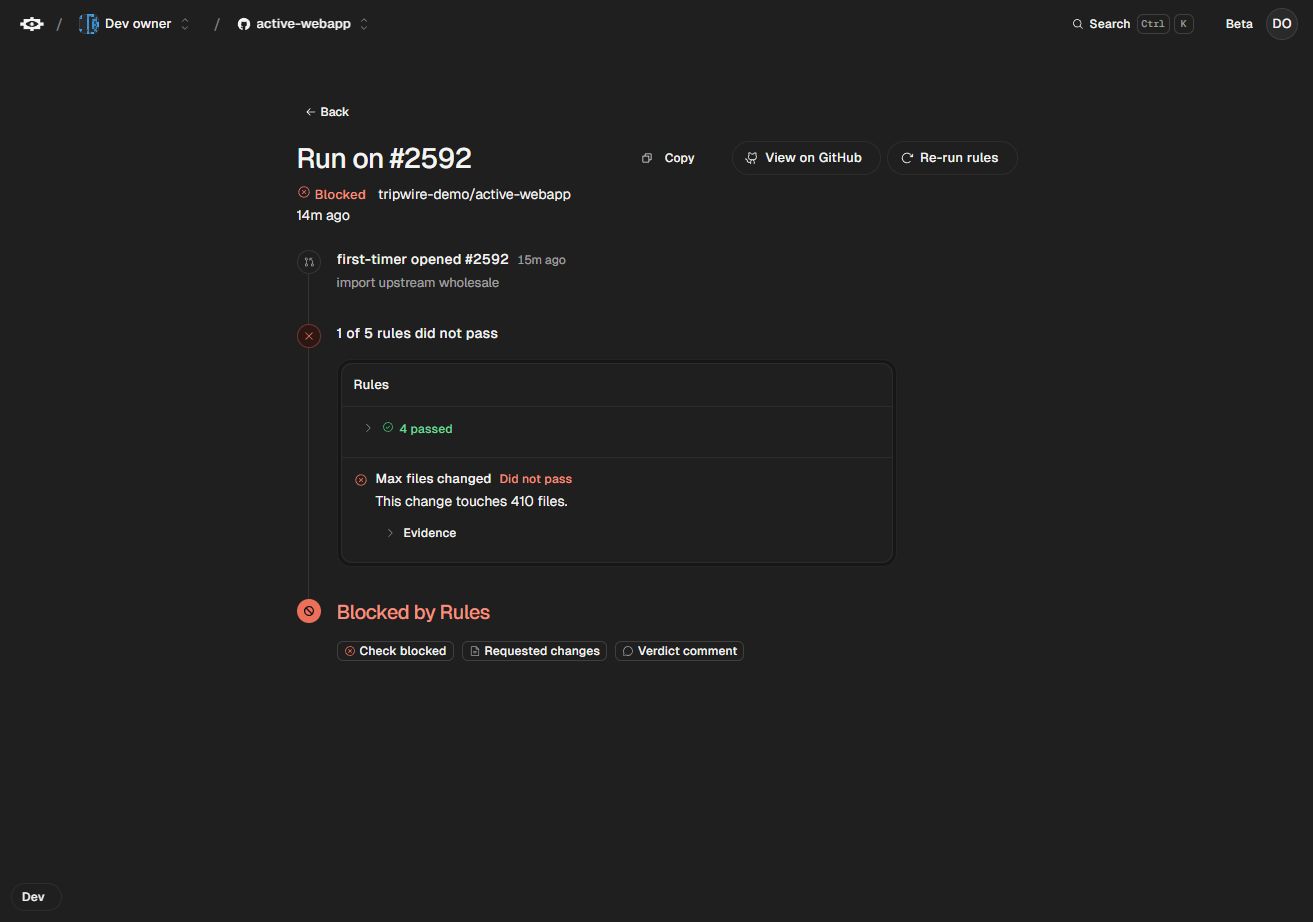
Each run in Activity shows the check results, the branch Tripwire followed, and the actions it took. Paused runs wait in Human review.
Editing with an agent
A coding agent can fetch, validate, and propose a workflow change through MCP. When working in a checkout, the CLI can pull workflows as TypeScript, compare local edits with the saved workflow, and submit them for review.